
An entertainment center serves as the focal point of living spaces, housing electronics while defining the room’s aesthetic. Building your own allows perfect customization for your equipment, room dimensions, and style preferences—something no store-bought unit can match.
Planning Your Entertainment Center
Measuring Your Equipment
Before designing, inventory everything the center will house:
- Television dimensions (including depth for wall mounting versus stand)
- Audio/video components with ventilation requirements
- Gaming consoles and accessories
- Cable boxes, streaming devices, routers
- Media storage (if you still have physical media)
Room Integration
Measure the wall space carefully, noting electrical outlets, windows, and traffic patterns. Consider viewing angles from primary seating positions. Standard TV height places the screen center at eye level when seated—typically 42-48 inches from the floor.
Design Approaches
Built-In Units
Custom built-ins maximize space utilization and create architectural presence. They’re permanently installed, adding home value but requiring more commitment and construction complexity.
Modular Furniture
Freestanding modular designs offer flexibility—you can reconfigure or relocate as needs change. Easier to build in a shop and install as completed pieces.
Floating Designs
Wall-mounted entertainment centers create visual lightness and simplify floor cleaning. Require proper wall anchoring to support significant weight.
Material Selection
Sheet Goods
Plywood and MDF form the backbone of most entertainment centers:
- Cabinet-grade plywood: Strong, stable, attractive when edge-banded
- MDF: Economical, paints beautifully, heavy
- Baltic birch: Superior edge appearance, excellent for painted or natural finishes
Solid Wood Accents
Use solid hardwood for face frames, doors, and trim. Match species to your room’s existing woodwork for cohesive design.
Construction Techniques
Cabinet Carcass
Build sturdy boxes using rabbet and dado joinery reinforced with screws and glue. Ensure perfect squareness—any rack will make doors and drawers impossible to fit properly.
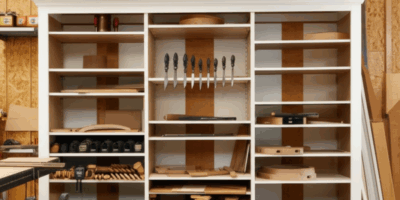
Adjustable Shelving
Install shelf pin holes using a drilling jig for consistent spacing. Allow flexibility to accommodate equipment changes over time.
Cable Management
Plan cable routing before assembly:
- Drill generous holes (2-3 inches) in back panels and shelves
- Install grommets for clean appearance
- Leave access panels for future wiring changes
- Consider power strip mounting locations
Ventilation Considerations
Electronics generate heat that shortens component life. Ensure adequate ventilation:
- Leave minimum 2 inches behind components
- Include ventilation slots or fans for enclosed spaces
- Consider mesh-backed doors instead of solid panels
- Don’t stack heat-generating components
Door and Drawer Options
Door Styles
- Frame and panel: Traditional, allows wood movement
- Slab: Contemporary, simpler construction
- Glass: Shows contents while controlling dust
Hardware
Choose hinges rated for door weight. Soft-close mechanisms add quality feel. For drawers, full-extension slides provide complete access to contents.
Finishing and Installation
Pre-finish components before assembly when possible. For painted finishes, use quality primer and apply multiple thin coats for durability. Anchor built-ins securely to wall studs—entertainment centers hold significant weight.
A custom entertainment center demonstrates your craftsmanship daily while perfectly serving your family’s needs—functional furniture that becomes a conversation piece.


Stay in the loop
Get the latest wildlife research and conservation news delivered to your inbox.